Published Book on Amazon
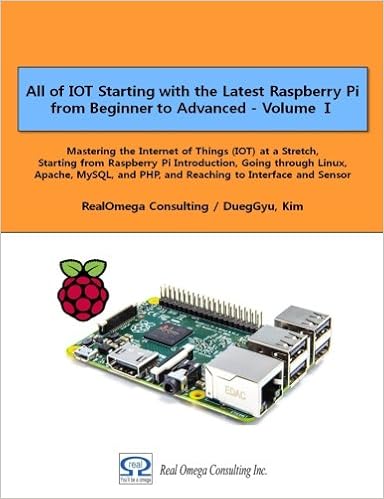 |
All of IOT
Starting with the Latest Raspberry Pi from Beginner to Advanced – Volume 1 |
 |
All of IOT
Starting with the Latest Raspberry Pi from Beginner to Advanced – Volume 2 |
출판된 한글판 도서
 |
최신 라즈베리파이(Raspberry Pi)로 시작하는 사
물인터넷(IOT)의 모든 것 – 초보에서 고급까지 (상) |
 |
최신 라즈베리파이(Raspberry Pi)로 시작하는 사
물인터넷(IOT)의 모든 것 – 초보에서 고급까지 (하) |
Original Book Contents
17.2.4 package 관리도구 – aptitude
"aptitude"는 APT package 관리체계에서 가장 상위에 있는 frontend interface로서, 다양한 기능을 가지고 있는 package 관리도구이다.
■ "aptitude"는 fullscreen interactive text user interface와 command line user interface를 함께 제공한다.
■ "aptitude"는 설치되어 있는 package를 검사하거나 사용가능 package를 검사하는 것처럼 일상적인 상호작용이 필요한 package 관리 작업에 적합하다.
■ "aptitude"는 hardware resources를 상대적으로 많이 사용한다.
"aptitude"가 아주 훌륭한 상호작용 가능한 도구이기는 하지만 몇 가지 주의할 점이 있다.
■ "aptitude" 명령은 안정되어 있는 Debian system에 대해 새로운 release가 발표될 때 release upgrade를 하는 데는 추천하지 않는다. 대신 "apt-get dist-upgrade"를 사용하는 것이 좋다.
■ "aptitude" 명령은 test 중이거나 안정되지 않은 Debian system에 대한 system upgrade에 대해서 가끔 대량의 package를 제거하라는 제안을 하는 문제가 발생하는 경우도 있다.
[명령 형식]
| aptitude [options] command <package> |
[명령 개요]
■ APT package 관리체계에서 상위에 있는 package 관리 도구이다.
■ user 권한 -- super user.
[상세 설명]
■ 프로그램을 새로이 설치하거나 제거하는 등의 작업을 수행한다.
[주요 command]
| aptitude syntax | apt-get/apt-cache syntax | description |
| update | apt-get update | update package archive metadata |
| install | apt-get install | install candidate version of "foo" package with its dependencies |
| safe-upgrade | apt-get upgrade | install candidate version of installed packages without removing any other packages |
| full-upgrade | apt-get dist-upgrade | install candidate version of installed packages while removing other packages if needed |
| remove | apt-get remove | remove "foo" package while leaving its configuration files |
| N/A | apt-get autoremove | remove auto-installed packages which are no longer required |
| purge | apt-get purge | purge "foo" package with its configuration files |
| clean | apt-get clean | clear out the local repository of retrieved package files completely |
| autoclean | apt-get autoclean | clear out the local repository of retrieved package files for outdated packages |
| show | apt-cache show | display detailed information about package |
| search <regex> | apt-cache search <regex> | search packages which match <regex> |
| why <regex> | N/A | explain the reason why <regex> matching packages should be installed |
| why-not <regex> | N/A | explain the reason why <regex> matching packages can not be installed |
| search 'i!M' | apt-mark showmanual | list manually installed packages |
[주요 option]
| -s | simulate the result of the command |
| -d | download only but no install/upgrade |
| -D | show brief explanations before the automatic installations and removals |